
Manufacturers often see black marks on aluminum alloy parts after CNC machining. These marks create a quality and appearance issue. They can also affect performance. Therefore in this blog post we will explain why black marks appear and how to prevent and fix them.
What are Black Marks?
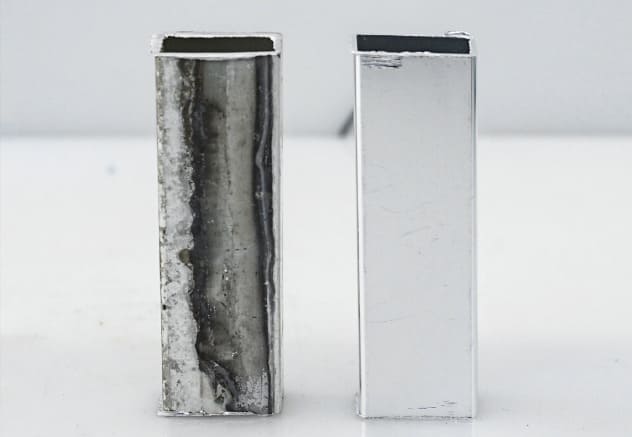
In simple terms, black marks are dark spots or streaks on aluminum alloy parts which usually occur after CNC machining. They can come from oxidation, material transfer or leftover residues from fluids and tools. They can be tiny dots or larger smudges. Most of these marks are less than 2 mm in size.
Main Causes of Black Marks
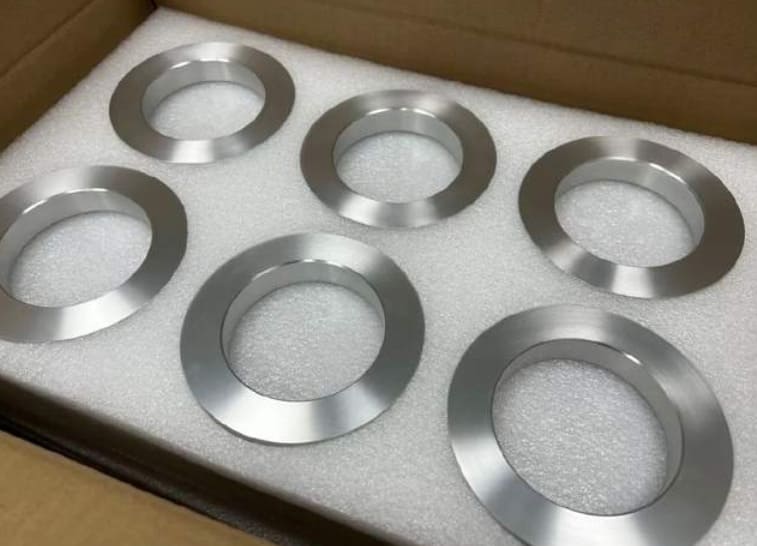
A number of factors during and after CNC machining can cause black marks on aluminum parts. Knowing these causes helps you identify where the problem starts and how it changes the final surface.
1. Tool Related Factors
Tool Wear
Tools that wear out create more heat and friction in the machining process. Temperatures at the cutting area can go above 200°C. This heat makes aluminum oxidize and it may stick to the tool. Black marks or streaks then show up on the part’s surface.
Tool Material and Coating
Tool material & coating also affect black mark formation. Tools with coatings that don’t suit aluminum, like basic high speed steel, wear out fast and transfer material onto them. Some coatings such as Titanium Nitride (TiN) can handle higher temperatures; but if the coating is not right for the alloy, aluminum can still build up on the tool and can cause marks.
2. Coolant and Lubrication Issues
Contaminated or Old Coolants
Coolants lose their lubricating ability when they get old or contaminated. This loss increases friction between the tool and aluminum. As a result, the cutting zone temperature rises. If the temperature goes above 150°C, oxidation can happen and dark streaks may show up on the part’s surface.
Moreover neglected coolant often contains bacteria and metal particles. These contaminants leave visible marks and further reduce surface quality.
Insufficient Corrosion Inhibition
Coolants that don’t have enough corrosion inhibitors can’t protect aluminum from reacting with moisture and oxygen during machining. This reaction creates black spots or patches on finished parts. Also when coolant’s pH drops below 7, the corrosion process speeds up. The risk of dark discoloration increases under these conditions.
3. Environmental and Handling Factors
Aluminum parts stored in bad conditions get moisture and airborne contaminants on them. Ultimately oxidation happens and surface stains appear. Moreover if humidity increases above 60% then black marks appear faster. Dust and dirt in storage areas also have a role and cause discoloration and uneven finish.
Post Machining Handling
Bad handling after machining also causes black stains or streaks. Using dirty tools, gloves or work surfaces transfers dirt and oils to the parts. These substances react with aluminum and create dark marks. If cleaning or further processing is delayed then risk of marks on finished parts increases.
4. Machining Parameters
High Cutting Speeds and Feed Rates
Increasing feed rates and cutting speeds raise the temperature in the cutting zone. If the heat goes above 200°C, oxidation starts and black marks show up on aluminum surfaces. High speeds also wear out tools more. This extra wear means worse surface discoloration and finish.
Poor Chip Removal
Chips that stay during machining rub against the aluminum surface over and over. This repeated contact causes dark streaks and scratches which show up as black marks. When chips build up, they also trap heat. This extra heat makes oxidation and surface damage more likely.
5. Material Specific Issues
Black marks during machining also depend on the aluminum alloy used. Alloys with more silicon like 6061 and 6063 oxidize faster when exposed to machining heat. Magnesium rich alloys also react to cutting temperatures and create dark oxide layers.
Prevention and Mitigation Strategies
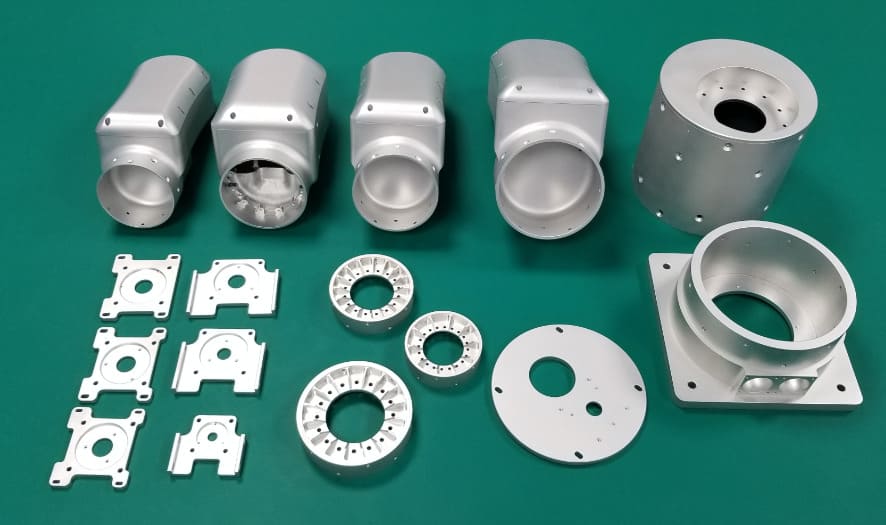
Knowing what causes black marks is not enough? You need to use particular solutions that target each factor behind these marks on aluminum parts.
1. Optimizing Tooling
Regular Tool Maintenance
Regular tool maintenance stops aluminium buildup and tool wear that causes black marks. Change cutting tools once flank wear goes beyond 0.3mm to keep edges sharp. After every job, clean tools well to remove aluminum residue. Sharp clean tools cut smoothly and don’t create extra friction or heat so surface oxidation is less likely to happen.
At RICHCONN, we follow strict schedules for tool replacement and use ultrasonic cleaning after every job. This removes aluminum buildup and keeps tools performing at their best.
Proper Tool Selection
Choose carbide tools with coatings for aluminum like TiAlN or diamond‐like carbon (DLC). These coatings can reduce aluminum sticking by up to 70% compared to tools without coatings. For aluminum, use tools with positive rake angles between 10 and 15 degrees. The right geometry and coatings reduce cutting forces and heat which prevents black marks.
2. Enhancing Coolant Management
Regular Coolant Maintenance
Keeping coolant in good condition stops black marks on aluminum parts. Replace and filter fresh coolant every 2 to 4 weeks to remove bacteria and metal particles. Moreover keep coolant concentration between 5% and 10% for proper cooling and lubrication. This reduces heat and avoids surface discoloration.
In our workshop at RICHCONN, we check coolant filtration and pH levels daily. These strict checks remove factors that can cause black marks.
Using Corrosion Inhibiting Additives
Add corrosion inhibitors like phosphates, amines or molybdates to the coolant system to protect aluminum surfaces. These additives create a barrier on newly machined parts & prevent black marks. Always keep additive levels within the manufacturer’s recommended range. Anti‐corrosion agents slow oxidation and prevent surface discoloration.
3. Adjustment of Machining Parameters
Optimizing Cutting Speeds and Feed Rates
Set cutting speeds and feed rates within the recommended ranges to prevent overheating. When heat is low, oxidation and material transfer decrease and black marks become less common. For aluminum alloys, typical cutting speeds are between 500 and 1,000 surface feet per minute.
Effective Chip Management
Clear chips from the cutting area right away with compressed air or high pressure coolant. Good chip evacuation stops material from building up and rubbing against the workpiece. To keep the machining zone clean, install chip augers or conveyors that remove debris quickly.
4. Selection of Material and Handling
Material Selection
Choose aluminum alloys with less silicon to lower the risk of black marks. The 5000 series like 5052 alloys resists discoloration better than 6061. Similarly the 1000 series which is pure aluminum also helps to reduce surface problems. Always match the alloy to the application.
Also See: 5052 vs 6061 Aluminum
Proper Handling Methods
Wear clean and lint free gloves when handling finished parts to avoid leaving acids or oils from your skin. Use soft and non abrasive materials to stack and move parts. This prevents friction marks and scratches that can turn into dark spots or streaks later.
5. Environmental Control Improvement
Controlled Storage Environments
Store parts in areas where humidity is below 50% and temperature is 20 to 25°C. These conditions prevent oxidation and surface stains. Use VCI bags or plastic wrap to protect surfaces from dust and moisture. This keeps parts clean and defect free.
At RICHCONN, we store parts in climate controlled environments and move them quickly after machining. This stops oxidation and keeps the finish perfect.
Post Machining Processing
Wash parts right after machining to remove coolant, fingerprints and oils. Move them to the next process like coating or anodizing without any delay. By limiting the time of parts in open air, you can prevent oxidation and avoid stains or discoloration.
To Sum Up
Black marks on aluminum parts are caused by tool wear, machining settings, coolant problems and handling methods. Manufacturers can get perfect finishes by identifying these sources and using the right solutions.
Get expert CNC machining and flawless aluminum parts with Richconn’s precision engineering team. You can contact us anytime.
Related Questions
Yes it does. Alloys with more silicon or iron like 7075 tend to get black marks more easily. This is because these elements increase oxidation and chemical reactions during machining.
Most black marks are on the surface and don’t change the part’s mechanical properties. But if the marks are from material flaws or deeper corrosion, then it’s a bigger problem.
Yes black marks mostly show up in particular areas. Areas with contamination, high friction or poor chip removal are more likely to get marks instead of the whole part.
Yes black marks happen often during CNC machining. Coolant issues, tool wear and poor handling, specially with reactive alloys, are a common problem.
Use baking soda, mild acids or commercial cleaners for aluminum. For tougher stains, cream of tartar & water paste or gentle polishing works well.
Yes black streaks can form during anodizing if the process is not controlled. Contaminated electrolytes or dirty surfaces also cause these marks especially in alloys like 7075.